Monday, November 8, 2010

Facebook as a Learning Tool - Yes Indeed

I read this article and knew I had to share it.  So many schools/districts are blocking Facebook and other social networking sites and this article does an excellent job of explaining how teacher, Erin Schoening has harnessed the power of social networking with her 1st grade students in Council Bluffs, Iowa.   

Congratulations to Ms. Schoening for challenging and engaging her students in an experience that I believe they will never forget.  She has parents on board and students are "writing for an audience." 

I realize that people have strong opinions about Facebook so, I choose to look at the student engagement, collaboration and positive communication that Ms. Schoening's project has generated.  There are other tools we can use to communicate and collaborate and most have positives and negatives.

Teachers, consider this as one fine example of what a group of 6 and 7 year old students can do with proper supervision, instruction and support.  Share your thoughts in the comment box. 

Sunday, November 7, 2010

Kerpoof Studio - Multimedia Experience!

Kerpoof is a Web 2.0 site that I have used and shared with teachers for several months.  Everything is free and elementary and middle school students have enjoyed the creativity it affords. Students and teachers have given it a huge thumbs up!  
Students can create multimedia drawings, stories, movies, cards, doodles, and more.  The site links to state standards and activities are interactive.  Kerpoof can be used with an Interactive White Board and of course, individually.  It is also a good site to share with parents so families can create at home.  The site has won numerous awards, supports multiple languages, and encourages creativity, reading and writing.  What more can a teacher ask for? 
                  Keeping it simple                   
The teacher link, Kerpoof Scholastics is: http://www.kerpoof.com/teach? It will give you a clear overview of the site's options.
FAQ's for Teachers - Kerpoof is free to teachers and educational institutions. 
  • There is nothing to download.  Kerpoof runs using Flash Player 10.  Most schools have Flash Player as part of a desktop/notebook configuration and it is a free download from Adobe.  
  • Kerpoof runs on PC and MAC computers.  Technical support is available through a website.
Make sure your students know that they do not need a paid membership.  That option is available however, all your students can use Kerpoof at the same time and it is free.

If you are looking to spark creative writing and storytelling, give Kerpoof a look.  I think you will be impressed.  Leave a comment and let me know what your students think of the site.

Thursday, November 4, 2010

Video Site - Next Vista

Nextvista.org is a video library site for teachers and students.  You can search and watch videos and you can also post a video to the site.  You will see excellent video explanations, under 5 minutes, of pertinent topics recorded by students from elementary through college. 
This example is Telling A Story.
 This is Music In Brasilia.

The tabs, Seeing Service and Global Views, offer videos an international perspective of good deeds and views schools throughout the world.  Next Vista is supported by grants and donations.  "Learning is stronger when it starts with an engaging introduction of each topic." 

The interface keeps it simple, easy for teachers and students to navigate.

In addition to providing concise videos, the site offers student the opportunity to create a multimedia piece to showcase a topic, event or person and it could be approved for inclusion on Next Vista.

I really like the focus and philosophy of the site and I hope you do to.  Try a video introduction when you begin your next unit and introduce your students to Next Vista for Learning.  See if these videos engage your students and perhaps pique their interest in developing a multimedia presentation for submission. 

Wednesday, November 3, 2010

Talking Math for a Wild Wednesday - That's A Fact

That's A Fact - is an interactive math site with great audio support.  Harcourt School Publishers brings this interactive site that they say allows you to, "Set your own pace to check your knowledge of addition, subtraction, multiplication, and division facts and to improve your memorization skills" and there is no registration.  You just click and go, following the spoken directions.
                                                                                
This site really keeps it simple.  It allows students to set a timer and test their knowledge of basic math facts after listening to audio prompts that are very clear.  After the game ends, they can check their answers and they are prompted to practice the facts they missed and take the quiz again.  That's A Fact has a clear interface, amazing sound, feedback, and an assessment.  I believe this simple site will engage students to practice math facts when they may not be so willing to on a paper/pencil worksheet.  

The audio supports English Language Learners (of all ages) and your special education students.  A timer is optional and the quiz/game has 30 facts.

This would be a good site to use with an Interactive White Board.  Students would touch the numbers at the bottom of the screen to answer the questions.  I think it would be easier than using a mouse.

Do you think your students would benefit from using this site to practice their math facts?  Give it a try and post your thoughts in the comment box below.  

Monday, November 1, 2010

Free Rice - Academics With A Social Justice/Responsibility Twist

Today, I had the opportunity to share this site and work with a teacher who had to cover a 6th grade special education class.  We used a Smartboard to share Freerice and the students and they were so engaged in "rice" that they were totally engaged in getting to the board to answer vocabulary and grammar questions.

Last week, I shared the site with another group of teachers and they became a little competitive when they started answering questions and they didn't want to leave the room when the period ended.   I can't wait to see how their students responded to the site!

Freerice is a non-profit website run by the United Nations World Food Programme and they partner with the Berkman Center for Internet & Society at Harvard University.  It is an easy to learn interactive site that donates 10 gains of rice to a third world country for every correct answer.  The engaged learning combined with global community service/social justice is an absolute win-win in my book.
The rice bowl fills as students correctly answer questions.


 Although Freerice opens on English vocabulary, you can change subjects.
Freerice keeps it simple.  There is no log in required to play but you can register your class, log in and see the total grains rice donated by your group.  They have donated over 2 billion grains to date. 

I would love to hear how your students like this site and how you are using it as a tool.  I hope you try it and share it with a colleague.  By paying it forward everyone wins and more rice will be donated.  Enjoy!

Sunday, October 31, 2010

Hot Tech Toy


"We need to prepare students for THEIR future not OUR past." - Ian Jukes.  I saw this toy being sold this weekend and the first thing I thought was that when I was young, this type of watch was found in the comics and in fiction writing.  Fast forward to 2010 and for about $40, kids (of all ages) can have a video camera, still camera, voice changer, downloadable usb file saving watch strapped to their wrists.  
Forget about the flip cam that I like.  Watch out smart phones?  This little watch can take up to 45 minutes of video and hundreds of pictures.  You download your media to your computer and start over.  Both Parents Magazine and the Today Show featured it recently and it is one of the hot toys for 2010.   Stay tuned!  This could be on a wrist in your classroom very soon.

The watch is sold in several places and I am sharing two of several reviews I found on Amazon. Both reviewers talk about active learning and I believe that is how we keep our kids engaged and excited about learning.  How are you preparing your students for their future?  Please share your thoughts and comments.


Amazon Reviews
5.0 out of 5 stars Don't worry about 'too much technology', October 25, 2010
Durability:5.0 out of 5 stars Fun:5.0 out of 5 stars Educational:5.0 out of 5 stars 
This review is from: Spy Net: Secret Mission Video Watch (Toy)
Customer review from the Amazon Vine™ Program (What's this?)
I have to confess that, while I was pretty much clueless on how to get this little device up and running, my young nephew [14] had the watch/video/etc. functioning at full capacity in just a few minutes.

It's really a hoot, lots of fun for kids who remain wholly engrossed with it... a really nice gift if your thinking about something electronic.
-----------------------------------------------------------------------------------------------------------------------------
Highly recommended.

5.0 out of 5 stars Amazing Product!, August 26, 2010
Durability:5.0 out of 5 stars Fun:5.0 out of 5 stars Educational:5.0 out of 5 stars 
This review is from: Spy Net: Secret Mission Video Watch (Toy) 
Let me say this is one amazing product. I at first thought it was just some high tech watch that perhaps did a few things extra but was I ever wrong. This watch is amazing.

Here are some of the features I found right off:
It takes photos, both in real time or you can use the time elapse feature
It has a lie detector built in, we used this feature right away and it was really fun
It is a video camera and you can take video or record voice without anyone knowing it
It has a full screen, easy to see and easy to operate
It tells time in many different time zones
It can be connected to your computer by USB and you can download missions
It has a built in voice changer that is a lot of fun to use
It also has several add on features that can be purchased separately that we plan to look into in the future

And that my friend is just the beginning of this wonderful watch.

My granddaughter and I had a blast with it for several hours. We recorded everyone, took pictures, videoed, it was great fun. We than decided we wanted to download a mission. Understand, you do not have to download missions or interact with the website to enjoy this product. It's totally up to you . If you decide to download missions it will probably require adult help and/ or someone familiar with computers. I am well versed with computers and I still had to call customer service for a couple of quick solutions. I was delighted when a real person answered the phone(with no waiting)! She was very courteous and knowledgeable. Within a few minutes we were back on track and completing our first mission. The missions are clear good quality videos with easy to follow instructions.

I have not had it long enough to tell you how durable it is, however it appears to be very well made.

I am very impressed with this product, it is definitely top-notch in fun and entertainment. My 11 year old granddaughter used the product with ease and loves it. Of course understand Grandma's can have just as much fun with it as well, and I am living proof of that. Amazing product, well worth your money. Enjoy!

Thursday, October 28, 2010

XP Math - Sharing Math Wheel of Fortune

XP Math is a resource that I really like.  The site is very robust but I want to focus on the Math Games Arcade. 
Here is a a screen shot from Geometry Edition Wheel of Fortune.  You can begin playing the game, with no log in, from this link.  The look, sounds and feel of the game are wonderful.  Once you play the game, check out the other useful math resources and games.  There is a free registration but you do not need to register in order to play the arcade games.  That's Keeping It Simple.

Share a comment if you think your students would benefit from playing these games or if you like the resources that you find on the site.  Please share the site with a colleague.  Enjoy!

Wednesday, October 27, 2010

Wild Wednesday - A wacky tool for wonderful creativity and more...

Build Your Wild Self
                                   By the New York Zoos and Aquarium 
If you follow children's movies, you may have heard of
The Incredibles, about a family of super-heroes living in the
suburbs or Spiderman.  There is even a new TV show about a family with super powers.
The connection - Build Your Wild Self is a tool that allows children (of all ages) to build a "wild" picture of themselves adding human and animal body parts. 

While it could be a cute tool that allows children to explore their creativity, I think it could be much more for teachers.  The website definitely meets my "keeping it simple" as it is clear and easy for young children to navigate. 

When I first came across this site, my first thoughts were using it to support a writing prompt and using it to promote speaking and creativity.
  • Creative writing linked to why they chose the body parts.
    • What would it be like to have arms and legs like a tiger?
    • Would they have "super ability" based on their choices?
  • This tool could be used with the Interactive White Board as a class activity.
  • How are animals different from humans?
  • Students narrate "why" they are making body part choices.  This supports ELA standards, would be an engaging exercise.  You could video tape the wild self development and explanation. 
The site allows you to email your wild self to a friend too.  My last thought, go wild and check out the site.  I would love to hear your comments and thoughts on how to use this resource.  Care to share your ideas?
Note-there are links to all the NYC zoos and the aquarium.  These pages offer additional resources you can explore. 

Tuesday, October 26, 2010

Digital History - Wow!

"Using new technologies to enhance teaching and research."  This is what the Digital History website says and the site does have extensive resources for teaching history.
http://www.digitalhistory.uh.edu/resource_guides/default.cfm

Keeping it simple.

This screen shot of the website shows how uncluttered the site is.  The navigation bar on the left side offers "for teachers" with links to exploration, handouts, learning modules, lesson plans, and resource guides.


  •  You can also explore resources by period.
  • History lovers and teachers will like the extensive resources.
Some parts of the site are still under construction but I think you will find an abundance of quality information here.  Click through the site.  There is so much more than I have mentioned.

One thing teachers struggle with is getting students to properly cite internet resources.  This site shares the proper way to site the website.
  Citing This Website Please use the following reference when citing this website:

To cite the entire website use this form:Mintz, S. (2007). Digital History. Retrieved (insert the date your retrieved the information here without parentheses) from
http://www.digitalhistory.uh.edu

To cite a specific document on the website use this form:
Mintz, S. (2007). Change this text to the title of the section. Digital History. Retrieved (insert the date your retrieved the information here without parentheses) from
http://www.digitalhistory.uh.edu
(add the complete URL for the specific page)
 Happy history searching with Digital History.

Monday, October 25, 2010

Teacher PD Online

Have you tried learning online?  The K-12 Online Conference is an easy way to dip your toes in the online learning water.

There are only a few more days of the conference but past sessions can be accessed.  Many have video presentations and the site calendar table is easy to navigate.  You can see the type of sessions that educators are presenting.  There is something for teachers at all levels.  The blue hyperlinks on the schedule will bring you to the session.

You can sit with your feet up or relaxing in a way that works for you and learn about ways teachers are using technology with their students, learn about new tools, research that is being done on technology integration, and much more.  Participating in online training is one way to expand your personal learning network. 

I encourage you to see what this special conference has to offer.  Post a comment if you like what you see.

Sunday, October 24, 2010

Easy Spelling Web 2.0 Tool - Spelling City

If you are looking for a great way to engage your students in learning to spell, check out Spelling City.

You enter your words in the boxes or you can batch enter by copy/paste into the text box.

Once you enter the words, your students can "learn" the words, play "games" with the words, and "test" themselves.

The best part of the site is that the audio that accompanies the tools.  Spelling City even speaks a sentence with your word.


 Keeping It Simple
  • You can play without a log in
  • The site would work well using an Interactive White Board
  • Includes many games using your words.
  • The audio feature is excellent.
  • Includes featured word lists you can use.
 Check out Spelling City and see how it could work for your class.  Share your ideas or thoughts in a comment. 

Saturday, October 23, 2010

Another Tool For Digital Storytelling - Animoto


Animoto is a Web 2.0 tool that allows you to create amazing digital stories from your photos or those that you find on the Internet.  Animoto creates the show automatically and you can even add music. Please have permission to use pictures, if you find them on the Internet.  The Animoto site reminds you:
Only select images that you have confirmed that you have the license to use.
Animoto is easy enough for young students to learn.  The tool is FREE for users to create 30 second stories.  There is also a paid subscription, however, the free version works fine for students.

Keeping it simple
  • creating an account takes a few minutes and only requires your name, email address, password, and your birth date.

  • Once you log in, the screen look like this.
  •  "It looks like you don't have any videos yet."  Click: Create One
  • First, you choose your video style from one of several that are available in the free version.
  • I chose Color Fold for my style.  Click free to create your 30-sec. video.
  • Now you follow the directions to find and upload your pictures, text or videos.

  • After you add images and text you are ready to pick from the large selection of music that is available from Animoto or you can upload your own music.

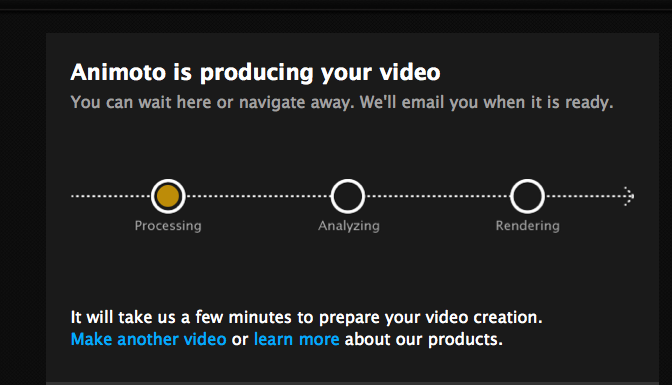
  • Next you have Animoto produce your video.  This will take a few minutes and they do recommend you resize your pictures if they are large files.
  •  Once your video has been created, you can view it, share it, upload it.  This is the screen you see when your video is ready to view.
Create your own video slideshow at animoto.com.

Wednesday, October 20, 2010

Wonder Wheel - A New Way To Search

If you are looking for a different way for your students to view their searches on Google, click "more search tools" on the left tool bar after you enter your search terms.  Wonder Wheel meets my "keeping it simple" philosophy.

This is the traditional format for a search on "native american corn recipes."  It should look very familiar. 
 If you open the "more search tools" option on the left, you will see Wonder Wheel.  Click Wonder Wheel, this is what you will see.


Your search list will still appear on the right side of the page but Wonder Wheel reveals a web with 8 spokes to narrow your search with the original search term in the center.


With the Wonder Wheel feature, you click one of the spokes and a new wheel with 8 more spokes appears.  


This is one of several options you have using a Google search.  The visual nature of using the wheel can offer you another way to teach Internet searching in your classroom.  Once you try this tool, try some of the other options Google offers.

If you use the Wonder Wheel feature with students, please share  your experience and thoughts in the comment box.  Happy searching with a wonderful tool. 


Tuesday, October 19, 2010

It's Delicious! Another great name for a useful web 2.0 tool.

I guess I've got a theme going this week with Learning Chocolate to Sweet Search and here's  Delicious

I did a Lunch and Learn session for a great group of elementary teachers in the Bronx today and I shared social bookmarking with Delicious with the group.  Since many of the participants had not heard of Delicious, I decided to share it in my blog.  Many teacher still bookmark educational websites on their classroom computer, then do it at home, and so on.  Social bookmarking takes the bookmarks off the computer and saves them online, making them accessible from any computer.  You do need to register/join Delicious.

At my training I shared the following resources.  They include an introduction to social bookmarking with video, Powerpoint, teacher examples, articles and more.  I hope to meet the needs of teachers' learning styles with the variety of resources and I intend to:

Keep it simple

Social bookmarking is a method for Internet users to share, organize, search, and manage bookmarks of web resources. Unlike file sharing, the resources themselves aren't shared, merely bookmarks that reference them. http://en.wikipedia.org/wiki/Social_bookmarking  from Wikipedia
  • Wiki on Social Bookmarking - includes video, list of uses, definition of tagging, list of sites, wikipedia quotes, and much more! - collaborative wiki
I encourage you to give social bookmarking a try.  It is easy to learn and will help you save time.  Share your comments or questions.  Happy bookmarking!

Monday, October 18, 2010

Sweet Search - following Learning Chocolate

The vast amount of information on the Internet sometimes frustrates teachers and students and Sweet Search is a search engine that can help you and your students find the information you need.


Sweetsearch was developed by Dulcinea Media and they state that every website has been researched by their research experts.


Keeping It Simple

  • There is a widget you can add to your browser to make accessing the site even easier.
  • The site is very well organized and there are tabs for elementary, middle and high school teachers and students.
  • You can also search by content area.
I really like the daily topic site.  http://2day.sweetsearch.com

Share this site with your colleagues and students.  There is something for everyone here.  Happy searching!


Thursday, October 14, 2010

Everything's in the Name! Learning Chocolate?

Web 2.0 tools have some unusual names and Learning Chocolate is one of those.  The Learning Chocolate website says the site provides a fun way for students to memorize vocabulary in an interesting and efficient way.  They suggest that trying their games students will enjoy learning, like eating chocolate.


The creative name enticed me to check out the site and learn more!  The interactive games are intended for ELL students but provide excellent vocabulary, spelling, memory practice.  Students can review vocabulary with audio and games include matching, fill-in, dictation, and a help button.
The tool provides clear audio support for the vocabulary and offers translation and audio support in English, Spanish, Japanese and Mandarin Chinese.  The audio support is clear and the audio feature is a way to engage students and increase differentiation efforts and it is widely supported that increasing vocabulary supports reading comprehension.

Keeping it Simple

This site has a clear, easy to understand interface. 
There is a registration however, you do not need to register in order to use the site.
There are more than 70 categories of vocabulary words.
Text to speech feature is clear.
The site can be used for speakers and learners of multiple languages.

The power of a well developed vocabulary is connected to academic success.  Learning Chocolate is a tool that can help all students develop their vocabulary skills.  I encourage you to check out the site and comment on this post.

Thursday, October 7, 2010

ProProfs Quiz Tool - Free! But, check out the deal of the day!

Welcome to my blog.  If you are interested in a easy to use quiz tool that is free but has an upgraded version, keep reading.  ProProfs is a good choice for quiz creation and I just found an offer on their website that is worth sharing.

ProProfs offers an educational price for the upgraded version of the tool.  The pro cost was $10.00 per month but the site says $2.97 per month until October 8th.  You can read the differences between the free and upgrade.  If I were assessing students regularly, I would definitely spend $2.97/month for this tool. Check out the details for yourself but if you use a free quiz/survey tool, this price drop might make it worth upgrading.

Click here to take my Easy Practice Quiz   This will show you question types and you will get a feel for the tool.  The tracking feature and quiz analytics are features that I have found important. 


Proprofs supports my keeping it simple philosophy.  Give it a look and post your comments.

Wednesday, October 6, 2010

Certifiates, Certificates, WOW!

If you are looking for an easy to use certificate maker website, this one's for you.  It's certificatestreet.com
This is their education section.  You can check out the other types of available certificates.

Keeping it simple
  • There are pages of available certificates but you can type what you are looking for in a search box
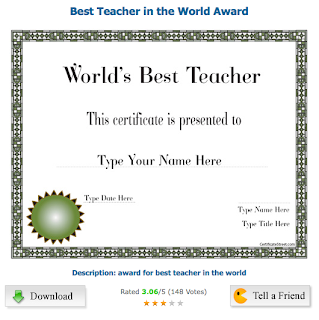
  • This is what I found for music certificates
  • You can vote and rate the certificates and check out your certificate's rating by others.
  • When you find a certificate that meets your needs, you can view or download it.
  • See the download button on my example.  This will save the certificate to your computer.  Then you can add the appropriate name, date.
  • The file is a PDF and the file will remind you that you won't be able to "save" your names.  You will need to print each certificate, if you need multiples.

I appreciate the fact that there is no registration or log-in required but, you can follow certificatestreet by providing an email address.  They also have a blog you can follow.
  • Everyone likes to be recognized and this tool makes it easy for you to print great looking certificates.
Hope you find this site useful.  
Teachers - this one's for you!     


Monday, October 4, 2010

Can't Help But Engage With Ten Frame

Ten Frame from NCTM's Illuminations website is my keeping it simple share for today.  I'm working with teachers at a K-4 school tomorrow and when I clicked on the Illuminations link tonight, I had to share Ten Frame with you.  The Illuminations homepage says this is the National Council of Teachers of Mathematics, NCTM's vision for school mathematics.  Their lessons, activities and websites are high quality and worth checking out.

If you can't use this in your classroom, have some fun and solve the math problems with ladybugs, stars, apples or chips.  There are many other interactive learning activities on the Illuminations site.  I'm sure you can find one that meets your needs.  The speech component is great for ELL's and provides good reinforcement.  Ten Frame would work as an individual or group activity on computers or if you have an Interactive White Board.

If you are looking for activities to support your home/school partnership, share Ten Frame and Illuminations with your families.  Happy counting! 

Sunday, October 3, 2010

Blogging with Kids

If you are reading my blog, you know a little about blogging.  Blogging with kids is a wonderful way to engage them in the writing process, support Bloom's Taxonomy and model 21st Century learning.  I could go on but I hope you get my drift.

As a teacher, consider commenting on one of my blog posts or another blog you read.  Your comment can be one of support, thanks or a question about the content of the post.  You don't need to share your name and your email address is NOT published.  Blogs can be set up so that the author can approve (or delete) comments.  Many teacher bloggers set up their account with approval of blog comments.

One FREE blog tool that is easy to learn and teach is kidblog.org  It was built for teachers and they really "keep it simple" so it gets my vote.

Here is an article from a veteran teacher who supports blogging with students.  Check it out!

I look forward to your comments and hope kidblog might be a tech tool you use.